
TL;DR – The blog lists key SEO tools that help with marketing and optimisation. It highlights Ahrefs for backlink and competitor insights, Scrapebox for large-scale data scraping, SEO Content Machine for content creation, Screaming Frog for site crawls and error checks, Netpeak Checker for analysing technical issues, and SEO Quake for quick on-page SEO metrics. These tools support better visibility, tracking and optimisation of websites.
Best SEO Tools For Marketing Websites – Pro Tips!
- Use Ahrefs to analyse backlinks and competitor data.
- Use Scrapebox to collect large volumes of SEO data quickly.
- Use SEO Content Machine to generate content ideas and articles.
- Run Screaming Frog to find broken links and technical issues.
- Use Netpeak Checker to identify optimisation opportunities.
- Compare competitor domains to uncover ranking gaps.
- Track meta titles and on-page elements for relevance.
- Choose tools that support keyword research and performance tracking.
- Combine technical audits with content optimisation tools.
- Review reports regularly and refine your strategy.
It is essential to do our best for our clients. We have to make sure we have the best SEO tools. I have been in this industry for some time and have seen SEO software development grow from basic to advanced tools. Here is a list of what we currently like to use here at Search Focus.
Ahrefs.com
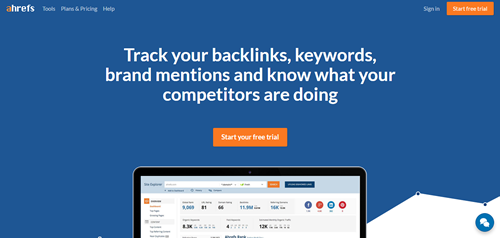
Ahrefs is the most comprehensive backlink analysis tool on the market. It provides users with a wide range of metrics and data about any website or URL.
In this article, we’ll show you how to use Ahrefs to find backlinks for your and your competitors’ websites. Ahrefs is one of our favourite tools for SEO. It’s easy to use, has a ton of features, and it only takes a few seconds to get an overview of any website’s backlinks.
Using a tool like Ahrefs means you don’t have to check each link individually manually. Instead, you can quickly see where each link points and what its value is (or was).
For example, If I want to know if there are any broken links on my site, I can type “broken” into the search box, and it shows me all the broken links on my site.
To put it simply, this online tool is excellent for competitor spying. It can report all the backlinks your competitors have sourced, the PPC keywords they are bidding on, and even what they naturally rank for.
If your job requires you to profile and source backlinks, Ahrefs.com is a must-have SEO tool. Also featured on this fantastic online tool is a content explorer showing you the most-shared content on social media, a keyword suggestion tool, and a domain comparison; they even have their own browser SEO toolbar so you can see results away from their website.
Scrapebox
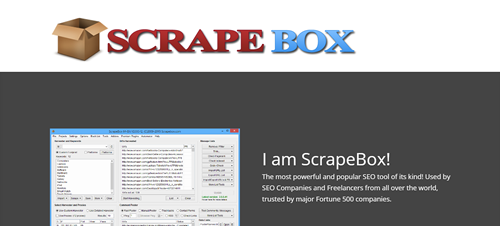
The Swiss army knife of data gathering. It can scrape anything, from article ideas, metadata, backlinks, DA & PA, emails, domain names, and more. This is a piece of software we have been using since the beginning.
In a nutshell, Scrapebox is a powerful scraping tool that helps you find and extract data from the internet. This could be anything from email addresses, phone numbers, social media profiles, YouTube videos, Facebook pages or even entire websites.
Scrapebox has been around for many years and is continually updated with new features and functionality. The software can build lists of emails or phone numbers for your marketing campaigns or gather information about your competitors.
Even though Scrapebox is a powerful tool, it’s straightforward to use. The software includes a built-in tutorial that walks you through each step of using it, so you’ll get up and running in no time.
The main advantage of using Scrapebox is that it allows you to extract data from different websites and save it in one place. This makes it very easy to manage the extracted data and make changes when needed.
To know how this tool works, you must understand how web scraping generally works. Web scraping involves extracting information from different sources on the internet. These sources could include social media management platforms such as Facebook or Twitter, forums, or even e-commerce sites like Amazon or Alibaba, where much information can be easily extracted.
It can be used to find email addresses and other contact information, scrape content from thousands of websites, find links to your or your competitor’s sites, and much more. Scrapebox also includes a built-in proxy server list that lets you perform all these tasks anonymously.
Most people use Google’s search engine to find email addresses or links on websites because it’s free and easy. However, this method can be very time-consuming and inefficient because many websites don’t have an index page on Google.
Many people turn to scrape software like Scrapebox because these programs allow them to scrape multiple sites at once and compile all the information into one place, making it easy to access later if needed.
SEO Content Machine
Great for scraping articles. We do not scrape articles to use as our own; we use them to gather ideas to post new content in our writing, and this piece of software can gather articles to download to your computer straight to a folder of your choice.
SEO Content Machine is a powerful web-based software that generates high-quality content for your website, blog or social media in seconds.
The program was designed to help you create a wide variety of content for your website, blog or social media accounts. The tool offers many options and is easy to use, even for beginners.
The main features of SEO Content Machine are:
- Depending on your account size, it can generate thousands of unique articles daily.
- It has a built-in article spinner that will help you produce unique content without spending hours researching and writing.
- You can use different types of keywords for each article. The tool will automatically fill in the gaps with synonyms so that all search engines will index your pages properly (including Google).
You can choose from over 100 sources of high-quality images (including Flickr), so you don’t have to worry about copyright issues when using them on your site.
SEO Content Machine is a platform that enables you to create and manage all the content needed for your website. With this tool, you can easily create custom-made articles, blog posts, landing pages and more.
Key Features:
- Create up to 1,000 pieces of content per month.
- All these pieces of content are 100% unique and optimised for search engines.
- Includes a keyword research tool with an integrated keyword difficulty score feature (you know how hard it is to rank for a keyword before you start).
Screaming Frog
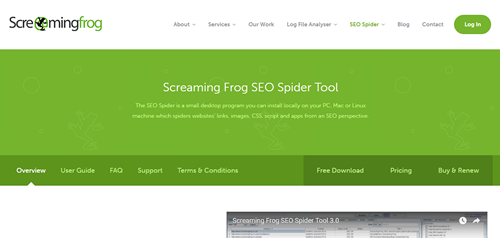
Screaming Frog is a desktop program that lets you crawl websites and see their content (HTML, JavaScript, etc.) in an excellent, user-friendly interface. It’s the perfect solution for web admins who want to analyse their websites, check links and find errors on the go.
This is software that scrapes your own or your competitor’s websites. It will tell you everything from page titles, meta descriptions, header tags, response codes, images, internal and external links and much more.
This is another excellent tool for finding out what content is on your competitor’s website and how they have structured their on-page SEO.
Screaming Frog is a web log analysis software application that crawls websites and generates reports based on the information gathered during the crawl. Screaming Frog is a crucial SEO tool for many businesses.
Still, it is also helpful for anyone who wants to understand their website’s performance, traffic sources, and how search engines view it.
The software allows you to do things like:
- Crawl your website
- Analyse your site
- Export results into an Excel-friendly spreadsheet
To use Screaming Frog, you need access to the website URL you want to crawl. Contact us if you don’t have this information; we’ll gladly help!
It is a desktop application that allows you to easily crawl websites and generate reports quickly, efficiently and comprehensively. The software provides an intuitive interface for analysing a website’s structure and contents, which can be exported into Excel for further analysis.
It can be used by SEOs, web developers, and quality assurance professionals for site auditing, and by people who want to learn more about their favourite sites.
Screaming Frog works in both Microsoft Windows and Mac OSX operating systems.
Netpeak Checker
Netpeak Checker SEO is a free SEO tool developed by Netpeak Software. It helps you check your website’s status in Google, Yahoo and Bing. It also checks your website’s visibility on search engines, keyword density, and link analysis.
Netpeak Checker is a handy tool for SEO professionals and web admins. The tool checks your page for SEO errors, shows you the SEO problems and suggests solutions. It will check all the essential elements of an optimised website, such as meta tags, title tags, alt tags, and keyword density.
It will also check your site’s code to see if it’s clean. If you have some issues with your site, you can fix them with just one click!
A nifty little tool that can find out more information about a list of links you have gathered or scraped. You can find the IP address and country it is hosted in, the Moz PA & Da, Ahrefs data, Alexa ranks, Majestic data, domain age and much more, all in one place. This handy little tool seems to have got slightly better with recent updates.
Netpeak Checker is a free SEO tool that provides information to help you optimise your web pages. The software scans the content of a URL and provides an analysis of the SEO status, including errors, warnings, and recommendations.
Netpeak Checker is one of the best SEO tools out there. It offers many features, such as backlink analysis, meta-tag analysis, and page speed optimisation. You can also use this tool to analyse your competitors and see what they are doing right or wrong with their on-page optimisation.
The Netpeak Checker SEO tool is both an online service and a Google Chrome extension. It can be used by both beginners and experienced SEO professionals to evaluate their websites or blogs.
If you want to improve your site’s rankings on search engines like Google, Netpeak Checker SEO is an excellent place to start!
Roboform
Roboform is a password manager you can use to easily log in to your favourite websites, download and remember credit cards, generate strong passwords, and more. Roboform remembers your passwords so that you don’t have to.
All you need to remember is one master password. Roboform generates strong passwords for all your accounts, fills them in automatically, logs you into websites with one click, and even protects you from phishing attacks.
Roboform works in any web browser or app, including Google Chrome, Internet Explorer, Firefox, Opera, Microsoft Edge and many more.
If you have been involved in SEO services for as long as we have, you know that time is scarce and that any time-saving methods are welcome. Bring forth Roboform, the ultimate time-saver with form-filling.
If you are new to SEO and planning to stick with it for a while, you had better get used to filling in forms, and this baby will help you along the way. It has one minor annoyance, though: it often pops up when you don’t need it if you forget to deactivate it when you are not using it, but other than that, it is hunky dory.
RoboForm is a password manager and digital wallet that securely stores your information and lets you access it from any device. RoboForm automatically logs you into your online accounts and fills out forms with one click.
- Roboform remembers all of your passwords, so you don’t have to.
- Roboform generates secure passwords for you, so you don’t have to memorise them.
- Millions of people around the world use RoboForm. It is safe, fast and easy to use.
Roboform works with all major browsers, including Internet Explorer, Firefox, Chrome, and Edge, and with popular social networking sites like Facebook, Twitter, and LinkedIn.
SEO Quake
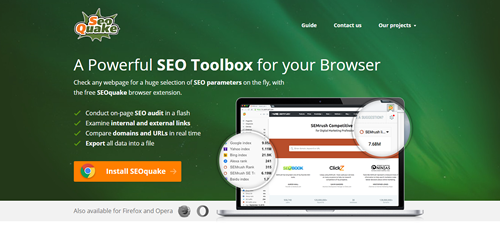
This is a browser plugin that we do use, but not as much as other SEO service tools. It has its uses, though, such as adding information under search engine results, including Alexa rank, SEMrush backlinks, Webarchive age, Facebook likes and Google +1s, view page source, Pinterest pins, LinkedIn data, and more.
Be careful with it, though, as it queries the search engines, so if you have your Google results set to 100 results per page and have all the parameters set to auto-query, you will quickly find your IP address banned from Google for a couple of hours.
- SEO Quake is a tool that allows you to check and monitor your website’s SEO performance from multiple angles.
- SEO Quake does not use any external APIs or databases, so it is fast, lightweight and easy to use.
SEO Quake has been designed for people new to SEO who want a simple way to monitor their site’s progress without all the confusing jargon. It can also be helpful for experienced SEOs who want to track how their website performs over time or compare it with similar websites in their industry.
So here you have some tools we use at Search Focus. Like any other software, you will need a training period to get used to all the features in each piece of software. We also use different software for SEO ranking reports, link-building profiling, and much more, but we will keep those a secret for now.

Written by Terry Burrows, an experienced freelance SEO consultant. I have been helping businesses improve search visibility through practical, data-driven optimisation since 2002. My work focuses on measurable results, ethical SEO practices, and strategies that support sustainable long-term growth.